PiVision — Industrial Smart Vision System
Technical drawing system from 3D models

You are the only designer.
Everything waits on you.

Drawings, details, flat patterns, cutting files, welds, parts lists — all on the same desk. The more work comes in, the more you become the bottleneck.
Version 1.0.68 Reads STEP · IGES · BREP
Try it on your own assembly →
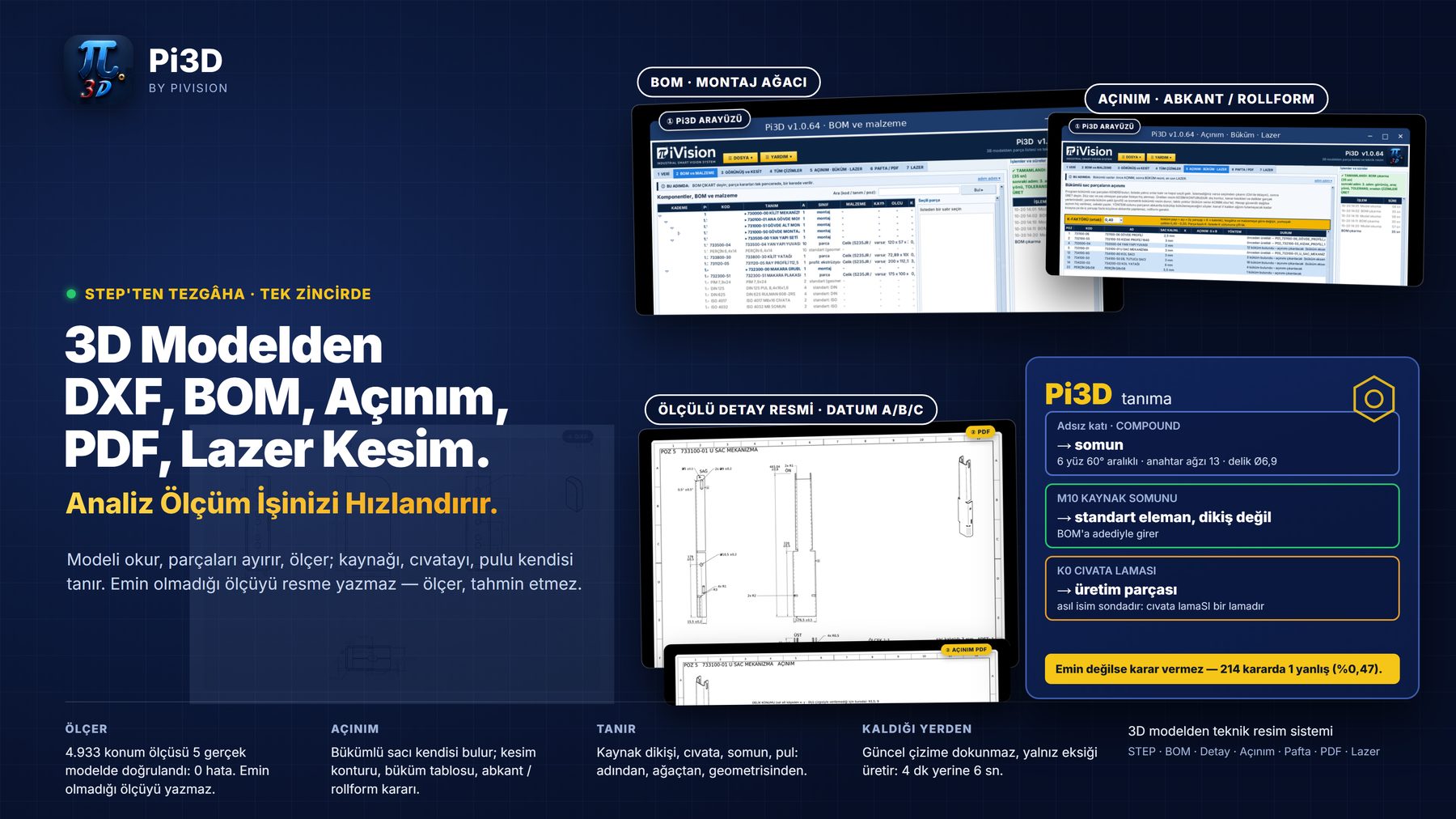
Pi3D interface: hierarchical bill of materials, sheet metal flat pattern and dimensioned detail drawing produced from a single STEP file
What it does

Pi3D clears that desk

You hand it the 3D model. Everything the shop floor needs comes out. It does not matter which CAD system drew it — a STEP file is enough.

Examples

What comes out of one STEP file

Every document below was produced from a real customer model in a single run. Nothing was drawn or corrected by hand.
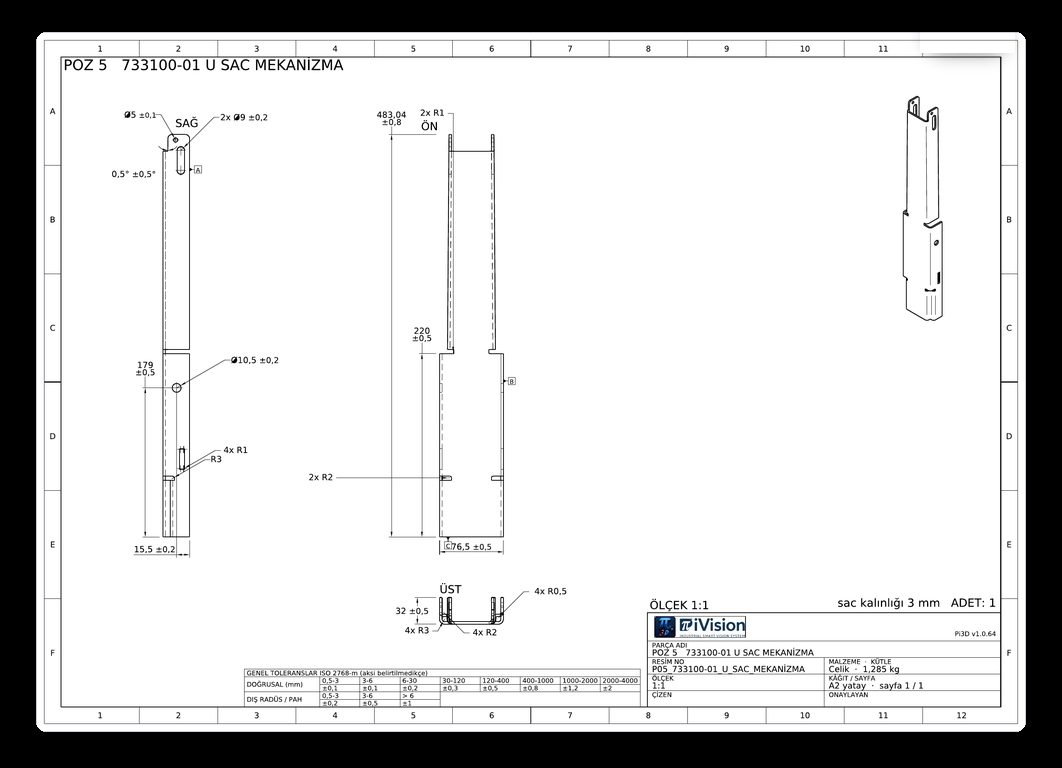
Dimensioned detail drawing: Datum A/B/C · ISO 2768 table · A3 sheet with title block
Dimensioned detail drawingDatum A/B/C · ISO 2768 table · A3 sheet with title block
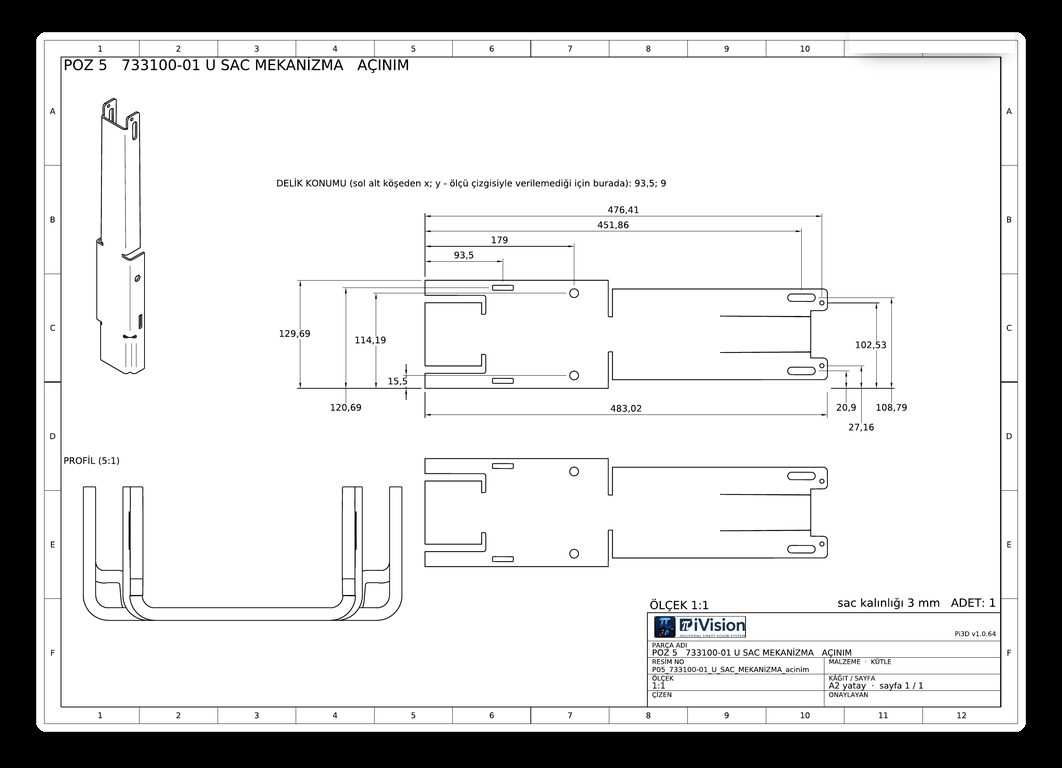
Flat pattern: Cutting contour and hole positions · 1:1
Flat patternCutting contour and hole positions · 1:1
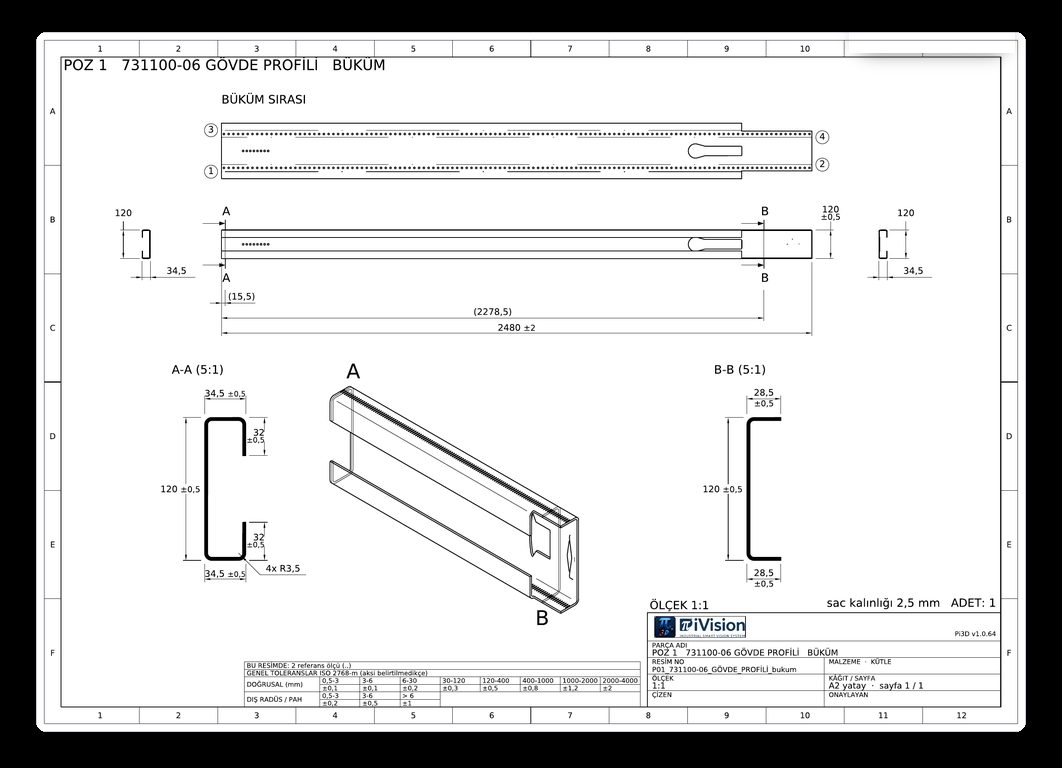
Bend drawing: Sections · bend sequence · flange dimensions
Bend drawingSections · bend sequence · flange dimensions
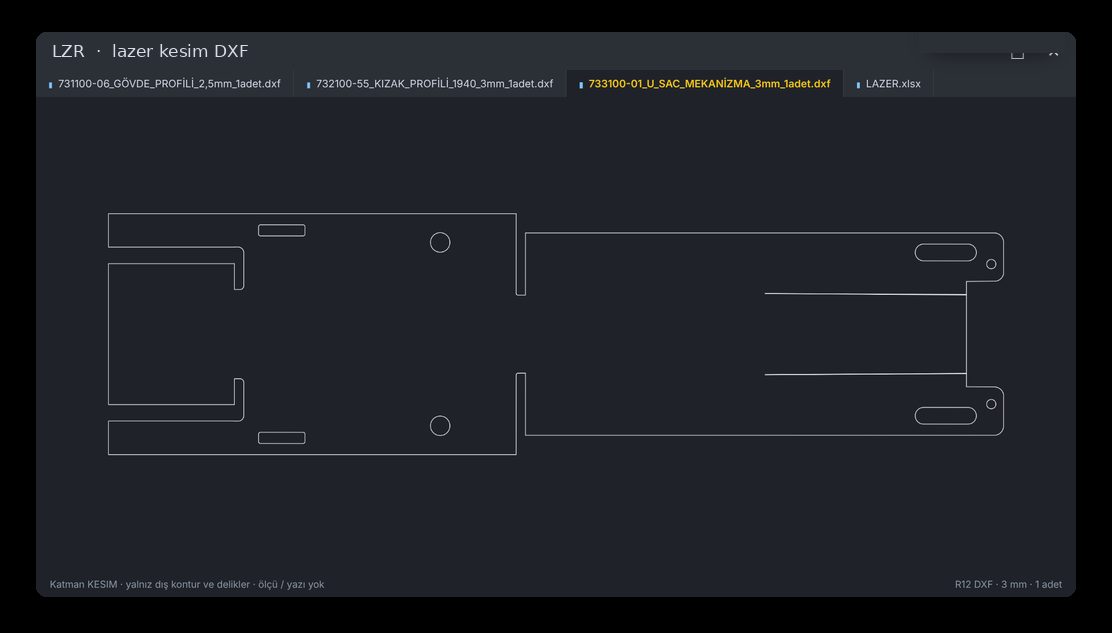
Laser cutting DXF: Cutting contour only — no dimensions, no text
Laser cutting DXFCutting contour only — no dimensions, no text
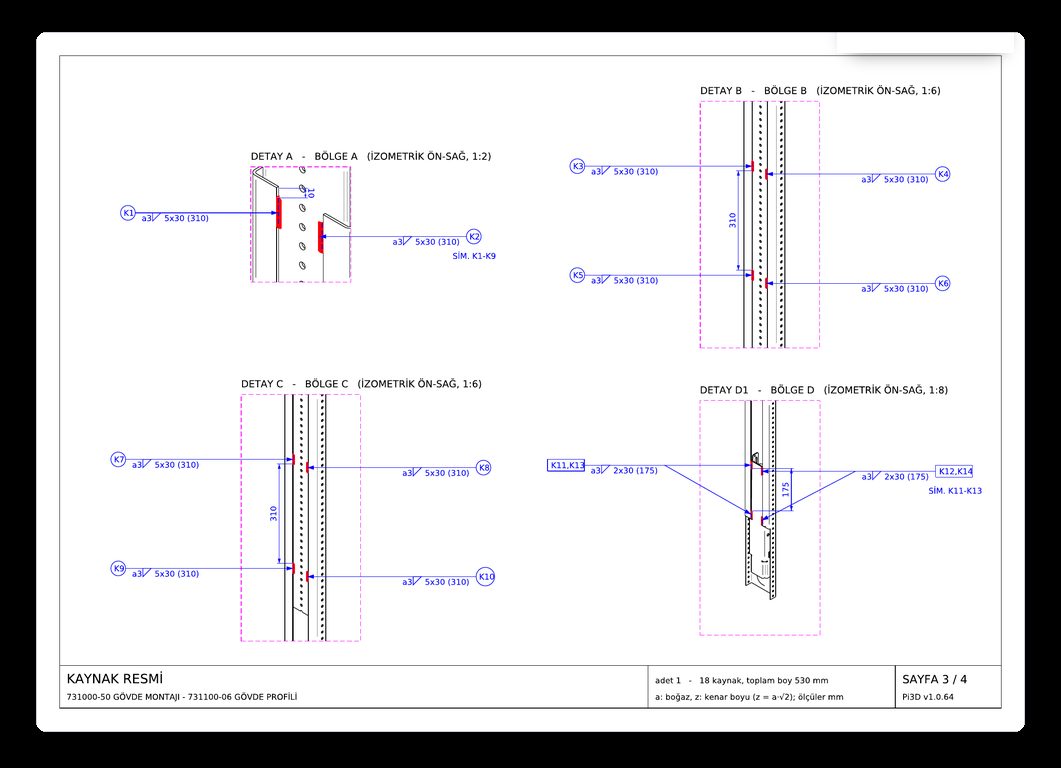
Weld drawing: ISO 2553 symbols · seam length and position
Weld drawingISO 2553 symbols · seam length and position
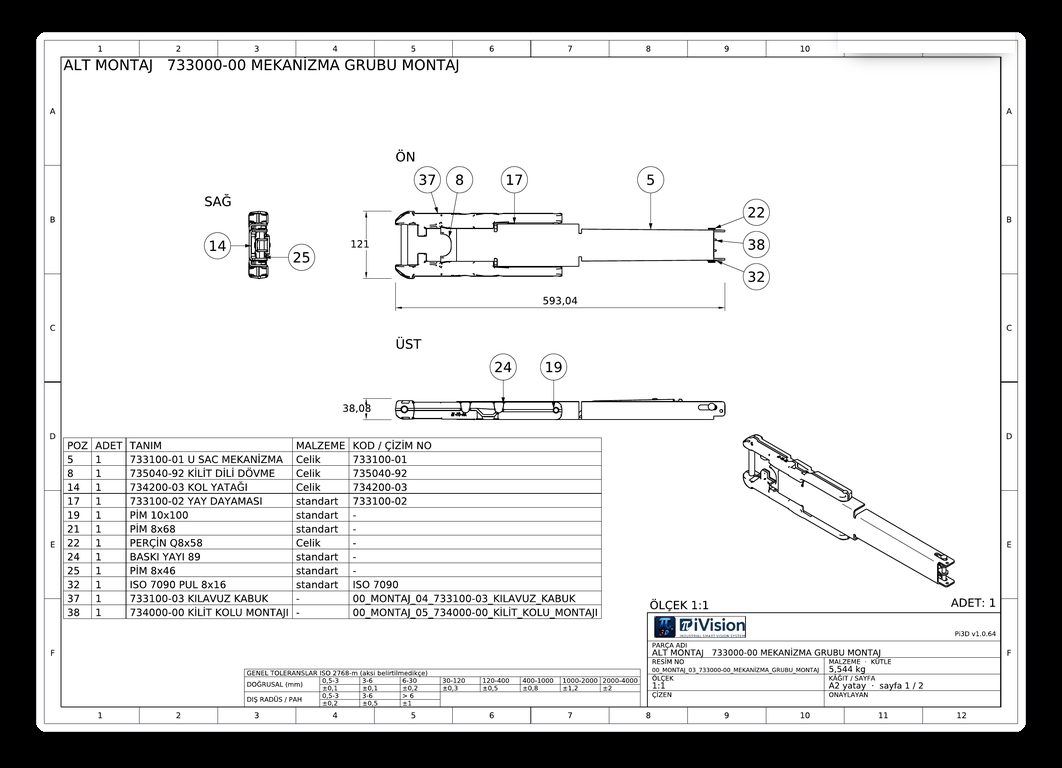
Assembly drawing: Balloons · parts list · level by level
Assembly drawingBalloons · parts list · level by level
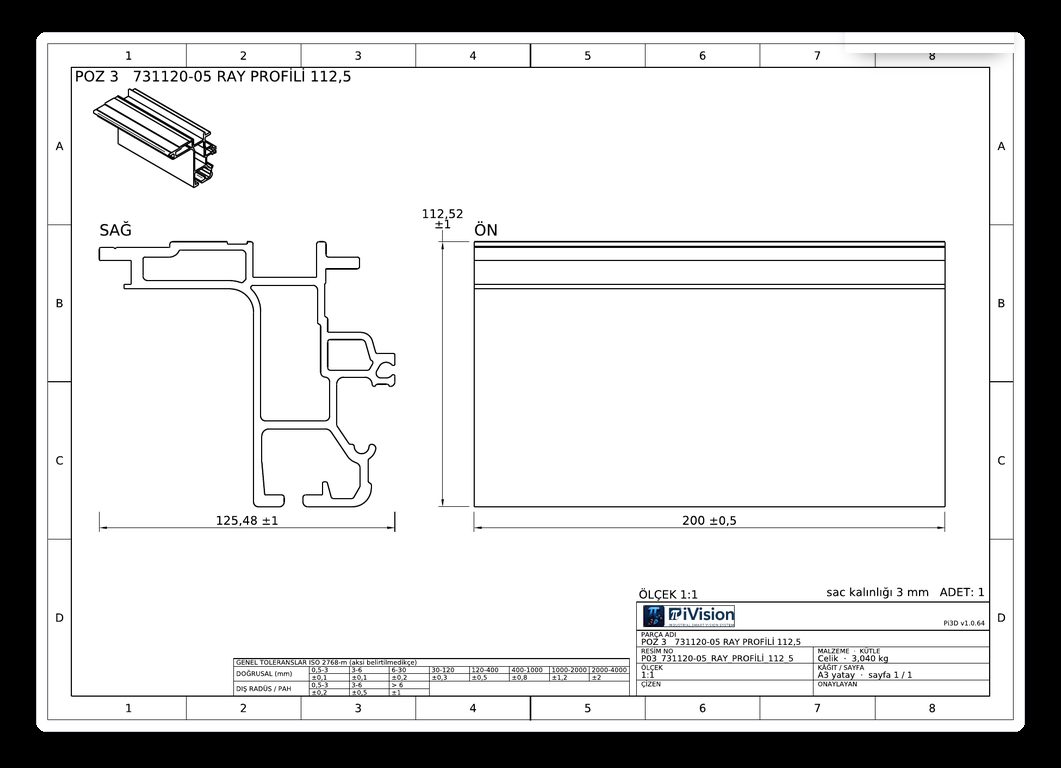
Profile manufacturing drawing: Extrusion section and length
Profile manufacturing drawingExtrusion section and length
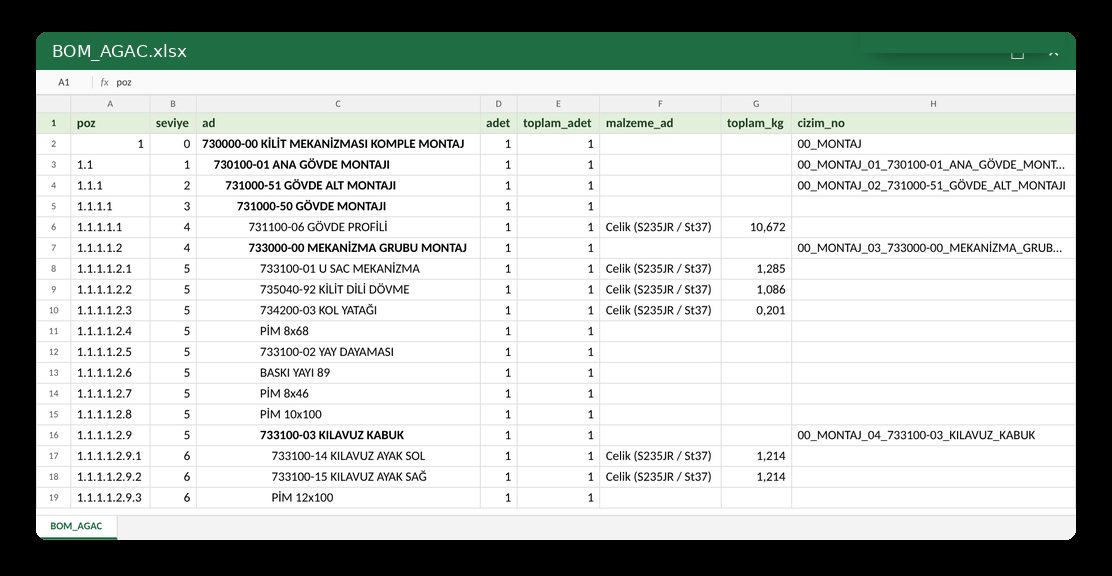
Bill of materials: Hierarchical tree · material · mass — Excel
Bill of materialsHierarchical tree · material · mass — Excel
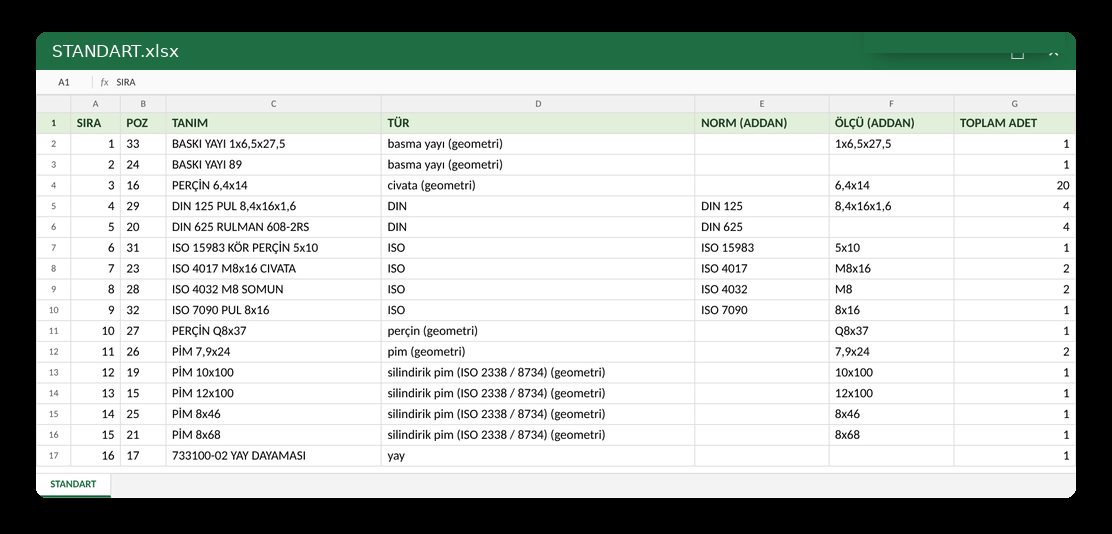
Standard parts list: Norm and size, read from the name — Excel
Standard parts listNorm and size, read from the name — Excel
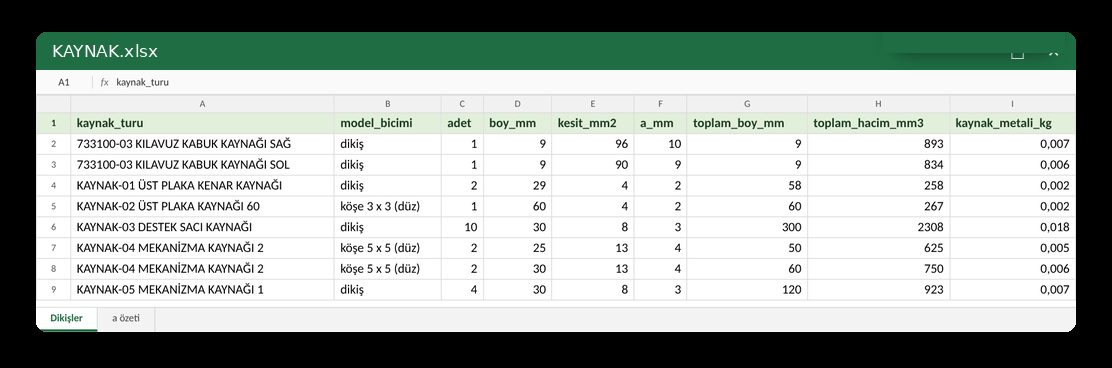
Weld list: Seam length · section · weld metal kg — Excel
Weld listSeam length · section · weld metal kg — Excel
Click to enlarge
The program

Three steps

1 · Reads the model

Separates the solids; recognises production parts, standard elements and weld seams on its own.
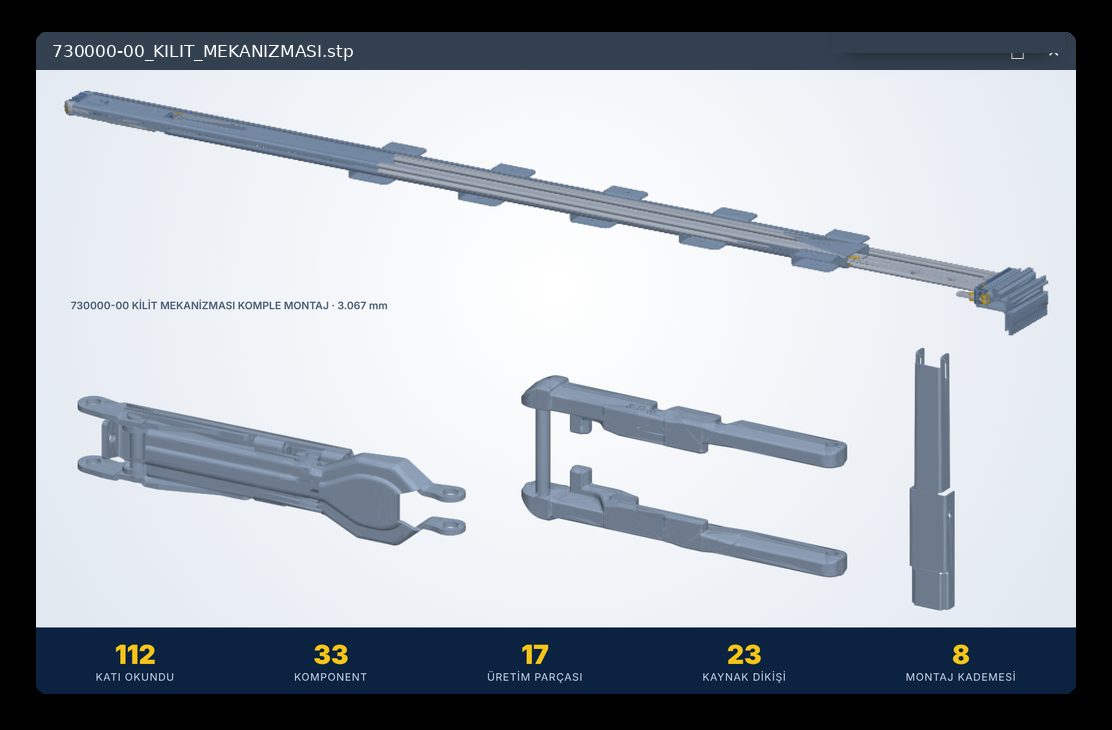
1 · Reads the model
2 · Builds the list

Hierarchical bill of materials with material and mass. Where it cannot be sure, it asks instead of guessing.
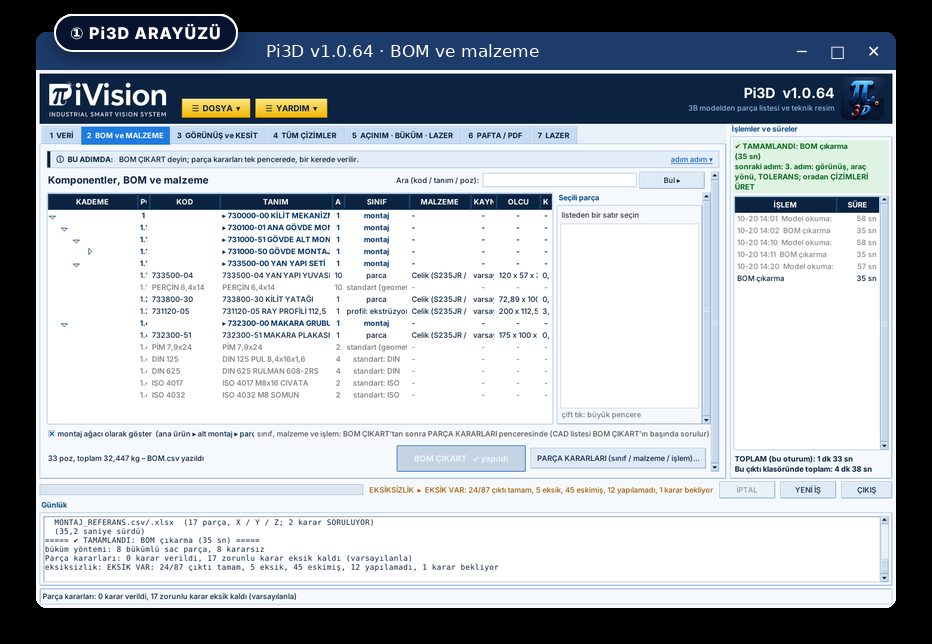
2 · Builds the list
3 · Produces the documents

Flat patterns, bends, laser files, sheets and PDFs — one folder, standard layout.
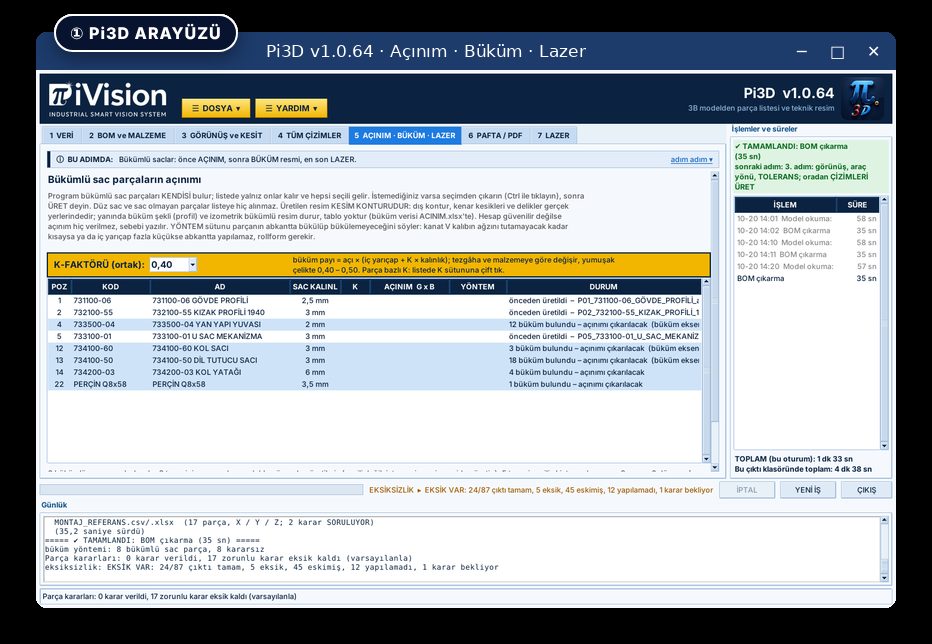
3 · Produces the documents
Outputs

What one file produces

Bill of materialshierarchical · material · mass
Detail drawingsdimensioned and toleranced
Assembly drawingballooned · subassemblies step by step
Flat patternsbent sheet parts found automatically
Laser · waterjet · plasmacutting contour, 1:1
Press brakebend sequence
Presscoining · forming
Welding drawingsISO 2553 · seams measured · weld metal kg
Operation listmaterial and process
SheetsA4 – A0, PDF with title block
Measurements

Measured, not claimed

4,933
position dimensions
across 5 real models · errors: 0
944
weld seams
measured on one frame · 37.25 m
68
releases
between 21 Sep and 20 Oct 2026
Others quote time-saving percentages. We counted.
Differences

Three differences

It does not replace your CAD

Pi3D is a separate program. You keep working in the CAD system you already have, and you buy no add-on or extra library for it.

Your model never leaves the building

It runs on your own computer. No cloud, no upload. Your model is your most valuable intellectual property — it stays in the plant.

You buy it once

Perpetual licence. No monthly or yearly payment. Support included.

Price

Price

USD 1,881
One-time · perpetual licence · support included
Founding-customer price, for the first 50 customers.
The comparison is not with software prices. It is with the annual cost of one technical draughtsman. Pi3D is a small fraction of that cost, and it does not come back every year.

Frequently asked

Which CAD does it work with?

All of them. Pi3D reads the model as STEP, IGES or BREP; it does not matter which program drew it. You do not change your CAD and you do not install an add-in.

Is my model uploaded anywhere?

No. Pi3D runs on your own machine. No cloud, no account, no file transfer. Your model never leaves your building.

Does it find the flat pattern itself?

Yes. It recognises bent sheet metal, produces the cutting contour, and decides the bend table and the press brake / rollform method on its own. Where it cannot be sure, it does not decide — it flags.

Is it a subscription?

No. You buy it once; the licence is perpetual. There is no monthly or yearly fee, and support is included.

How do I know it works?

Send us your own assembly and look at the documents that come out. We would rather show than tell.

Try it

Try it on your own assembly

Send us one STEP file and see the documents that come out. We would rather show than tell. This takes 60 seconds, and no one will call you to sell.

What are you looking for?
You can select multiple.
Where did you hear about Pi3D?
This is the one thing we genuinely cannot find out any other way.
Your company domain
Which CAD do you use?
Your role
How do we get back to you?
Anything you want to add?
Your model is your most valuable intellectual property. It is not uploaded to any cloud, not stored, and not shown to anyone.
This opens your email program. Attach your STEP file — or a WeTransfer link — to that email.

If your email program did not open

Copy the text below and send it to info@pivision.com.tr yourself.